Verilator的工作原理
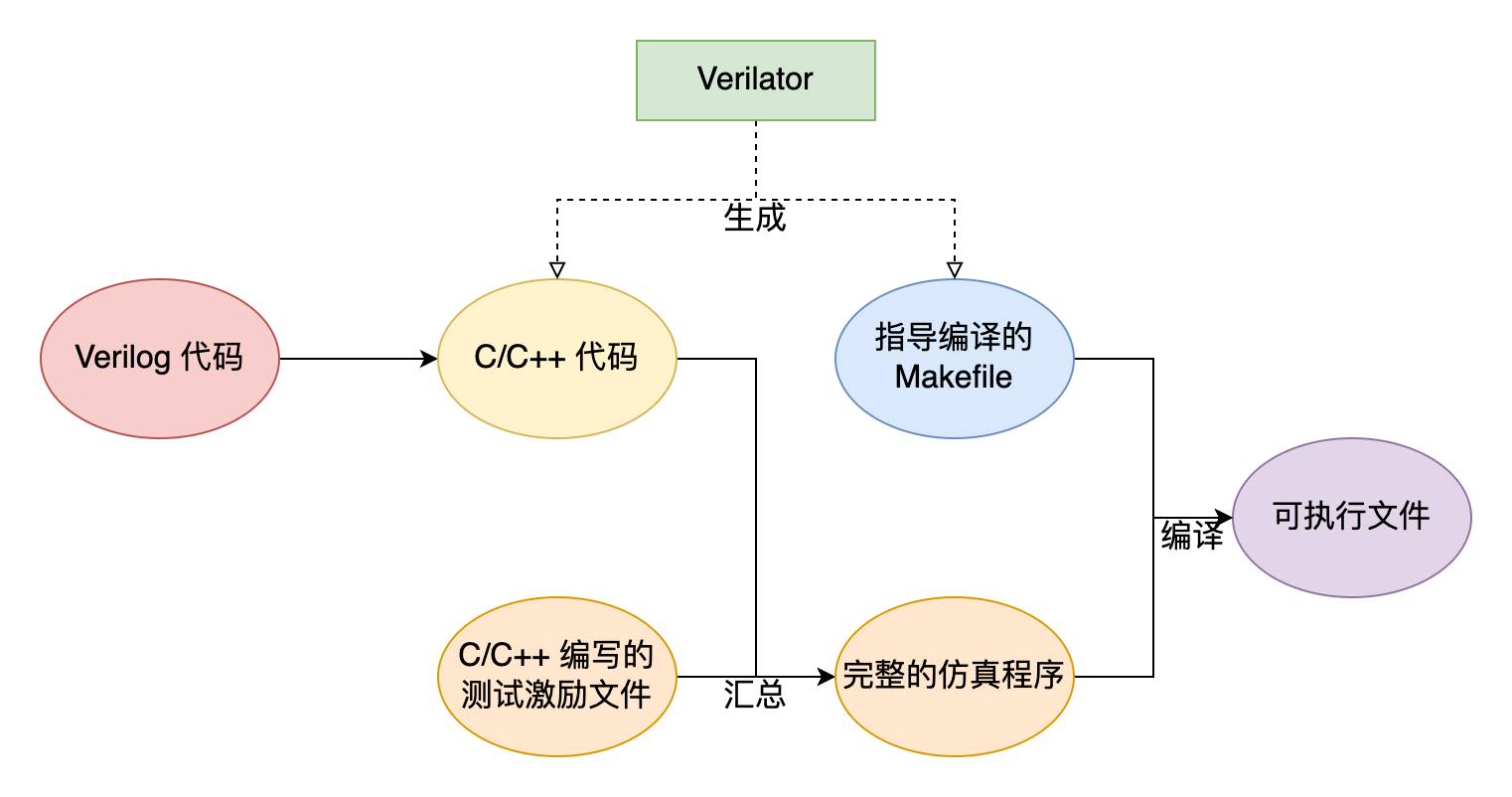
我们需要使用 C++ 编写激励文件。显然,我们不能在 testbench 中直接调用我们 .v 中的模块,所以我们要通过 Verilator 将其转化为 C++ 文件再进行调用,Verilator 为我们提供了顶层模块输入/输出引脚的接口,使我们得以对顶层模块的输入信号赋值或读取其输出信号。
Verilator 会生成一个 Makefile 脚本,利用 GCC 等编译器将生成的 C++ 文件和我们编写的激励文件编译成成用于仿真的可执行文件。
Verilator Files
Verilator Command
1 | man verilator |
verilation(生成可供调用的 C++ 文件)
1 | verilator --cc [--top <top-name>] VerilogSourcefile |
--cc:指定将 Verilog 转化为 C++ 代码--top:当有多个Verilog 源文件的时候需要指定顶层模块-Wall:打开Verilator所有的警告--Mdir <directory>: 更改output file的路径,默认路径是obj_dir
编写testbench
示例(双控开关)
1 | module top( |
1 |
|
生成可执行文件并运行
1 | verilator --cc -Wall [--top <top-name>] VerilogSourcefile -exe testbenchfile |
-exe:其实这步就是将testbenchfile加入到生成的Makefile中-bulid:构建可执行文件(自动执行Makefile),我们可以后面手动构建如果不加这个option

手动构建可执行文件
1 | make -C obj_dir -f Vtop.mk Vtop |
-C: Change to directory dir before reading the makefiles or doing anything else.-f: Use file as a makefile
最后的Vtop是make要构建的目标(Target)